What's inside

Eighteen parts to start from.

The parts most builds start with, up close: what each one does, and what it saves you. They all read and write the same data, so nothing gets copied between tools. If you need something that isn’t here, we build it. Screens are from the demo workspace with sample data.

01Get the lead

Funnels & applications

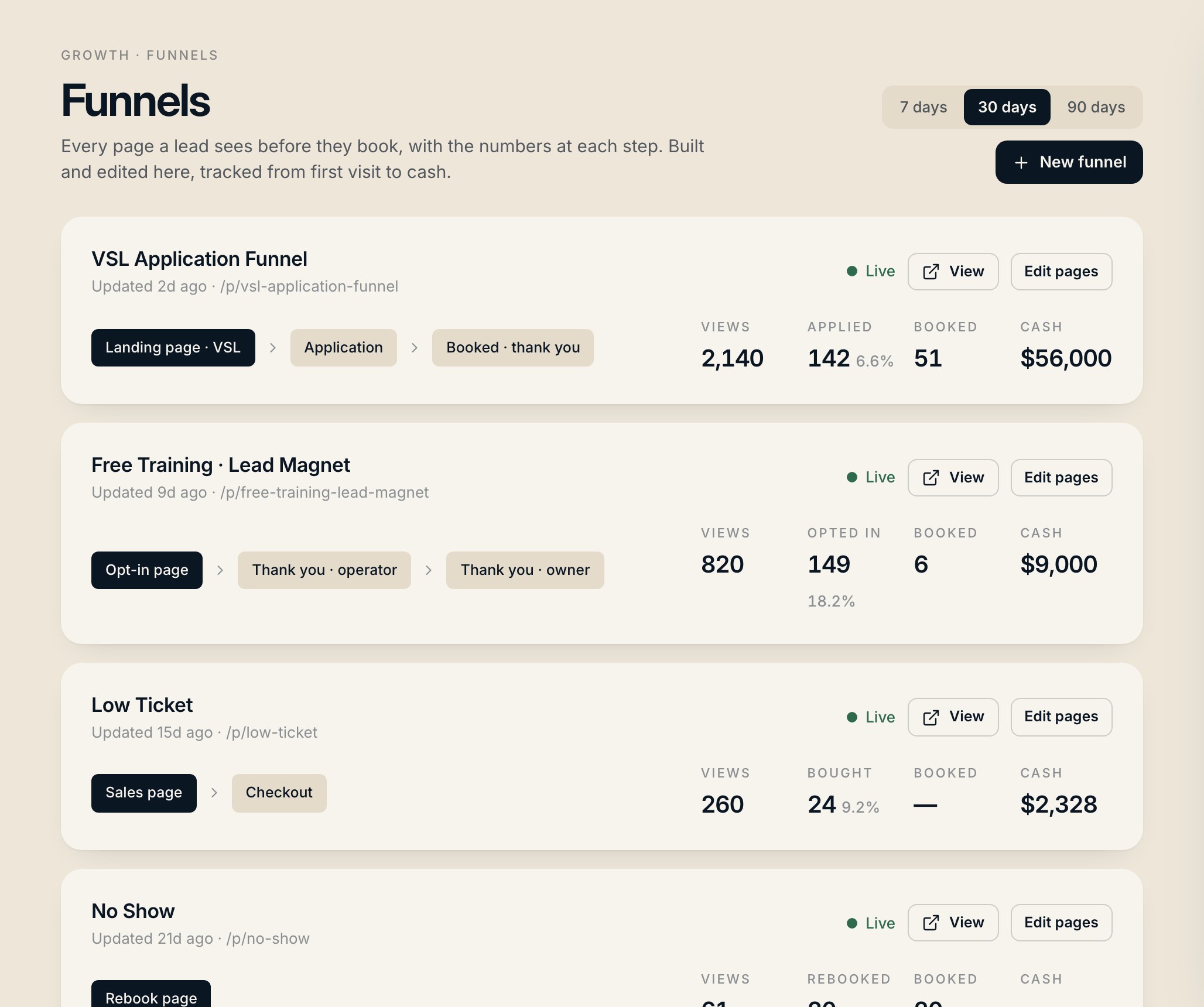
Build and edit every page a lead sees, and see what each step is worth in cash.

You getFix the page that’s costing you the most calls.
  • AI page editor. Describe the change and it’s made. Import your own HTML, connect your domain.
  • Applications saved on the lead, with an intent score so setters call the best ones first.
  • Views, applications, bookings and cash for every funnel, side by side.
Funnels & applications
02Get the lead

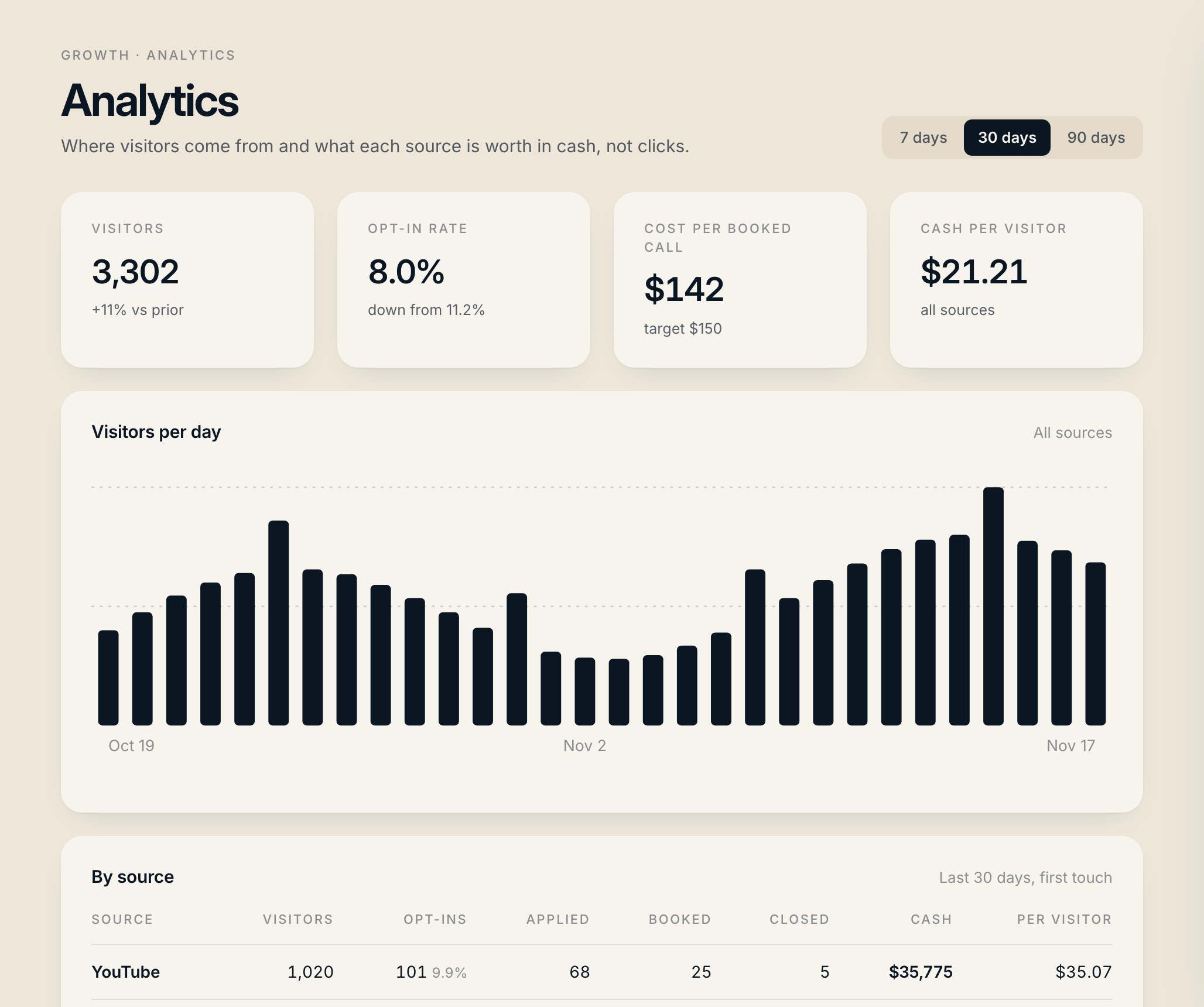
Analytics

Where visitors come from, and what each source is worth in cash.

You getPut spend behind the sources that make money and cut the ones that don’t.
  • Visitors, opt-in rate, cost per booked call and cash per visitor by source.
  • Live funnel tracking against the targets you set.
  • Field drop-off, rage clicks and VSL retention, so you see where people quit.
Analytics
03Get the lead

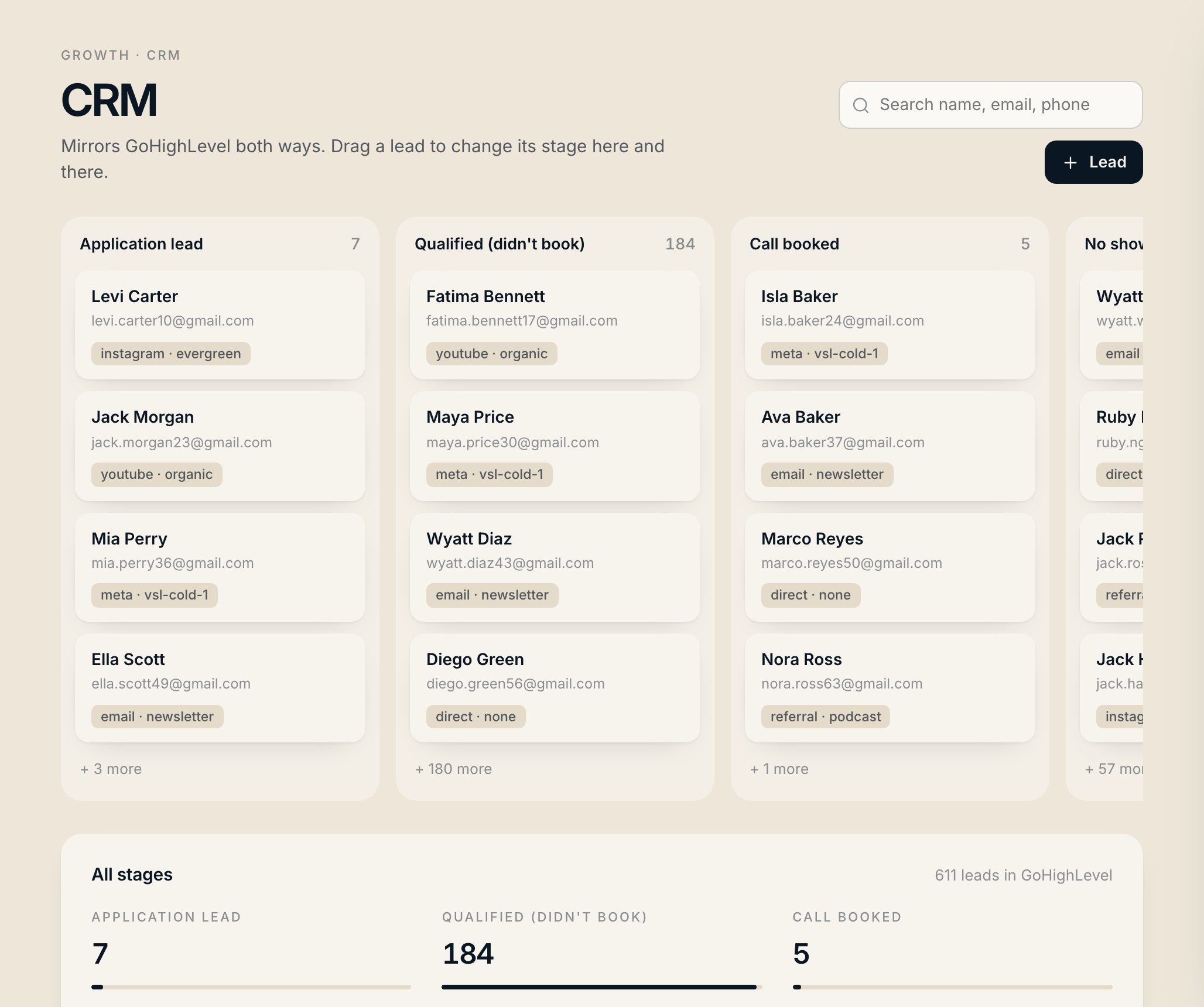
CRM

A CRM that mirrors the one you already use.

You getNo migration and no double entry. Your team keeps working the way they do now.
  • Same stages, same fields as GoHighLevel (or whatever you run). Drag a lead and it updates both ways.
  • Every lead carries its story: applications, calls, payments and the pages they saw.
  • Setters and closers see only their own records.
CRM
04Get the lead

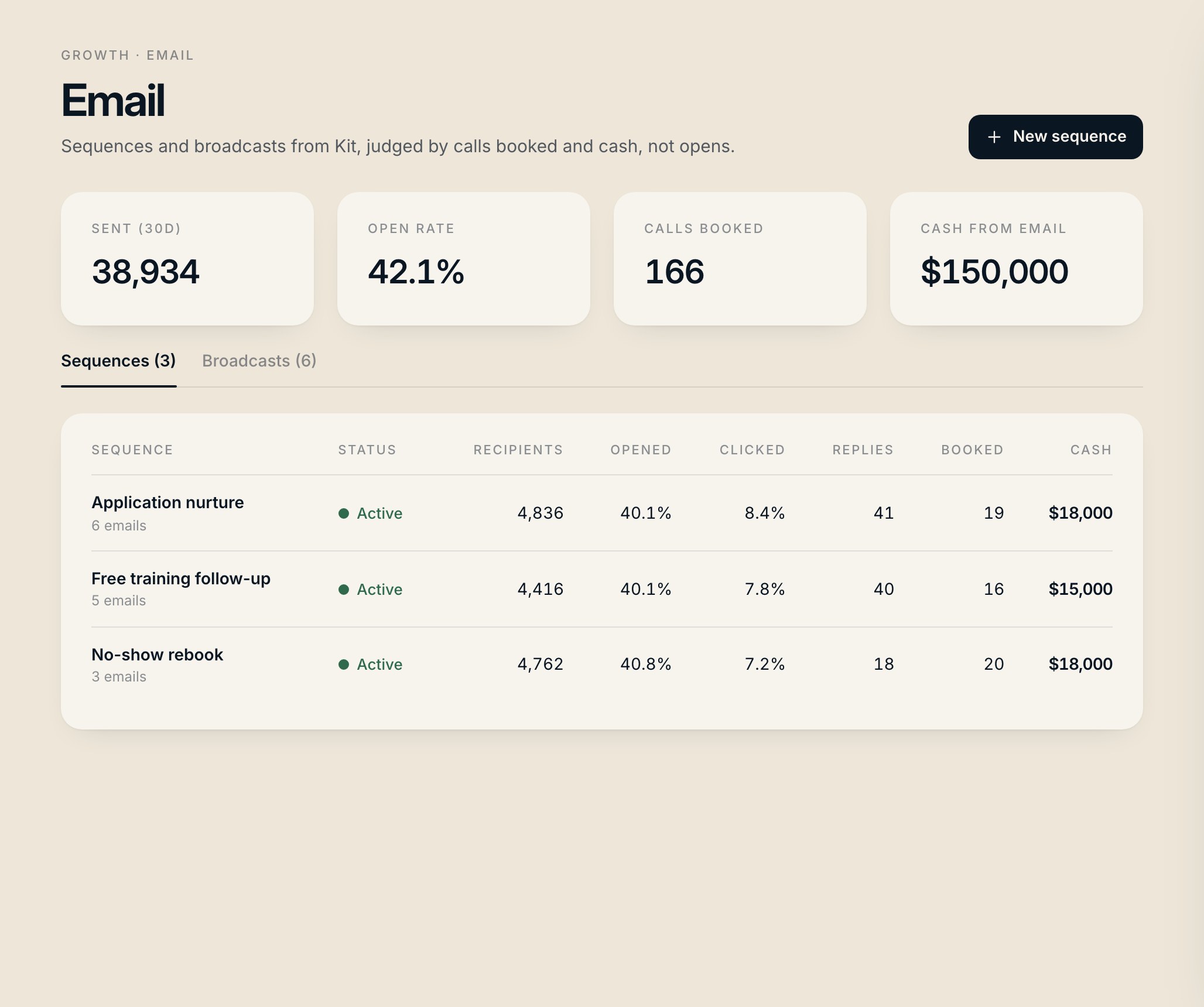
Email & SMS

Broadcasts and texts, measured by the calls they book.

You getKnow which emails book calls, and write more like them.
  • Engagement over time and reach per send.
  • Top broadcasts by open rate, next to the leads and calls they produced.
  • SMS in the same place, including the texts your agents send.
Email & SMS
05Get the lead

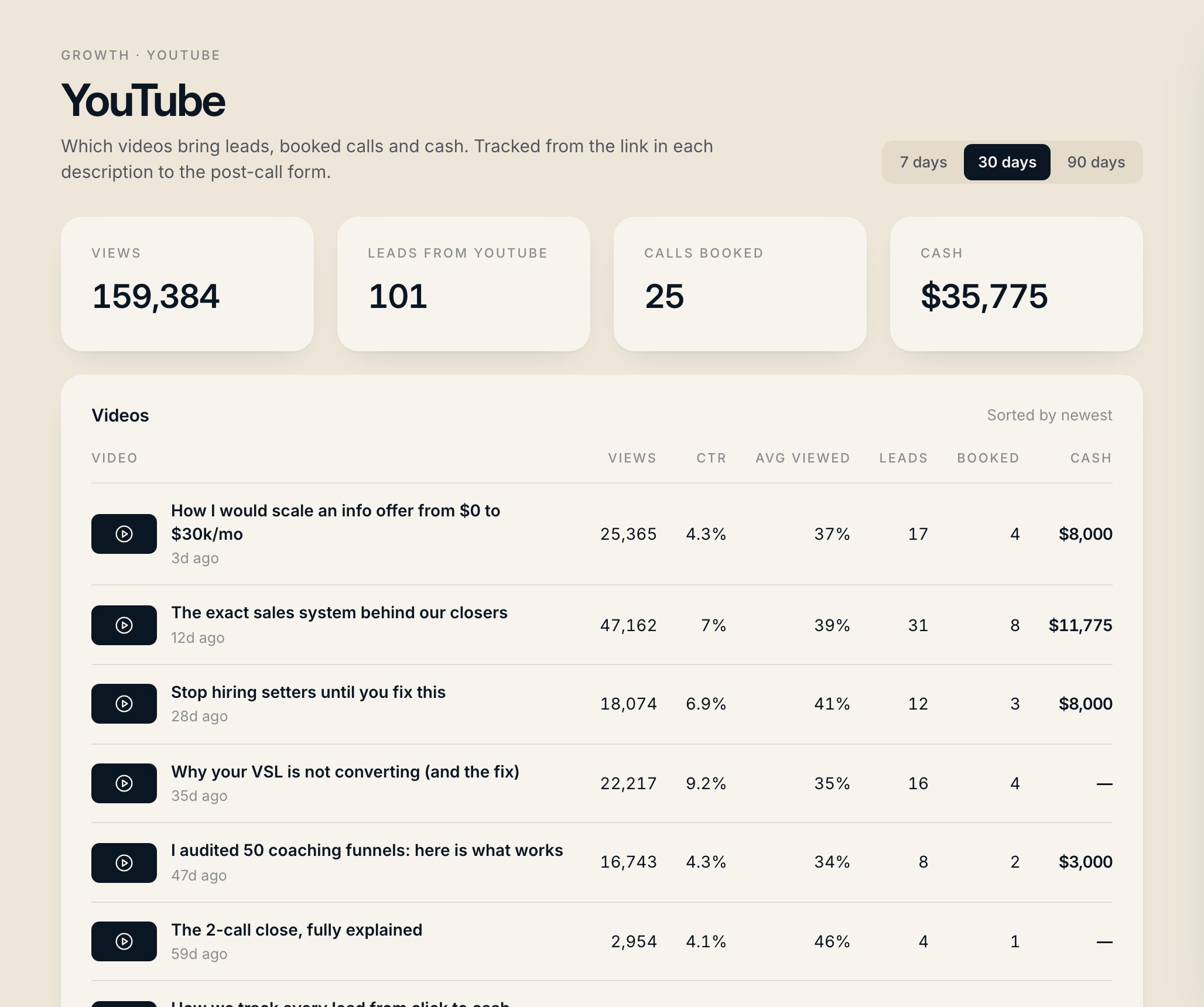
YouTube, Instagram & ads

Every video, post and ad measured in cash.

You getMake more of the content that makes money.
  • Every video traced to leads, booked calls and cash collected.
  • Every post, reel and story traced to DMs and calls.
  • Ads and creatives tracked here, with a Morning ad check from your Ads agent.
YouTube, Instagram & ads
06Close the deal

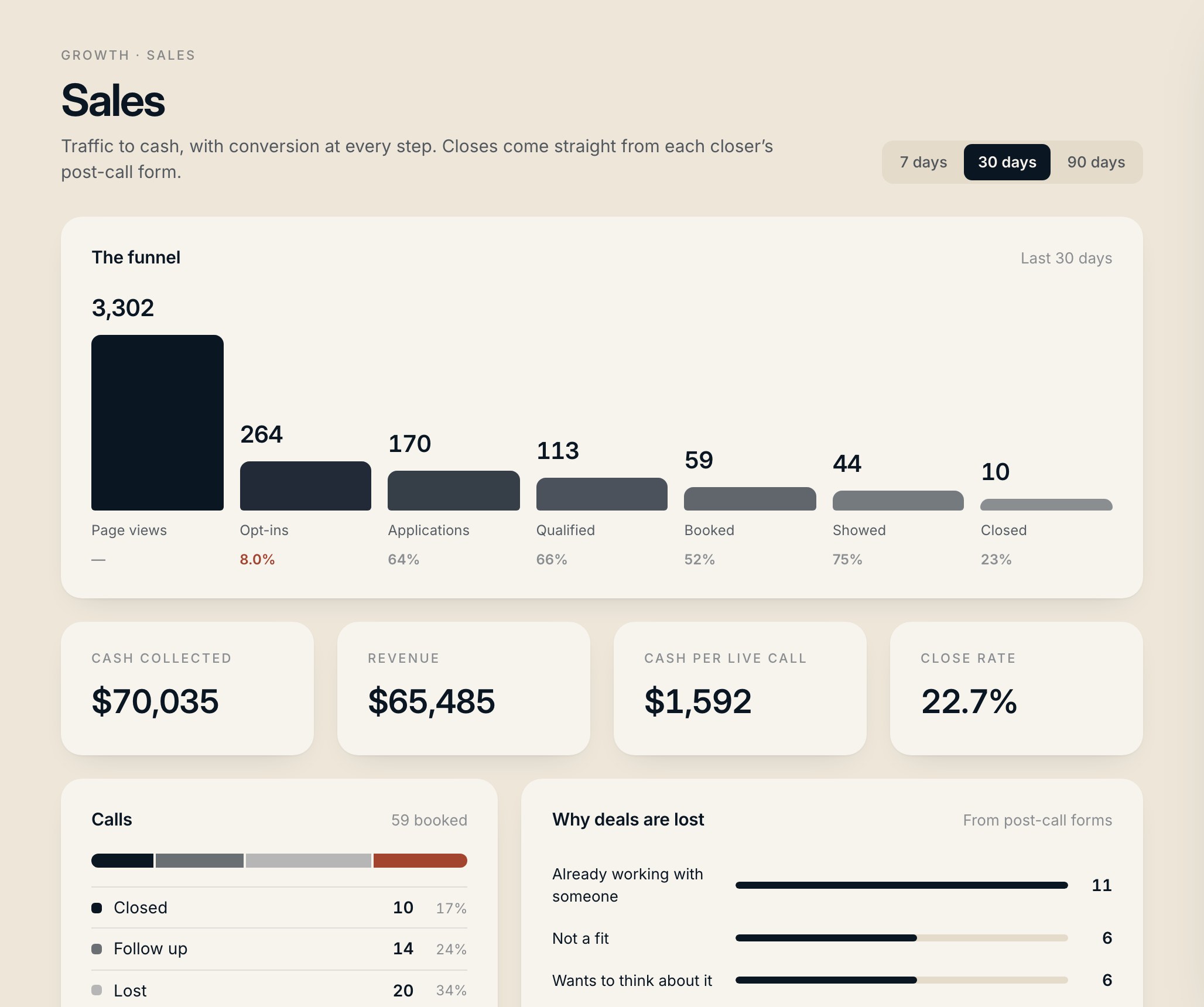
Call tracking

Every call, every closer, every objection.

You getSee which closer needs coaching, and on what.
  • Show rate, close rate and cash per call for each closer.
  • Applications ranked by revenue and results by offer.
  • The objections you lose deals to, counted.
Call tracking
07Close the deal

Post-call form

One short form after the call does the admin.

You getThe CRM is always up to date, because updating it is the form.
  • Filled from a link on the closer’s phone right after the call.
  • A close moves the deal, logs the payment and works out commission in one step.
  • Notes stay on the lead and show up behind every payout line.
Post-call form
Jason Cole
Isla Baker
Closed – paid in full
$8,000
Stripe
Submit
  • 1Deal moves to WonIsla Baker leaves Pitched in the pipeline. If there was no call on record, one is created.
  • 2Payment logged$8,000 via Stripe, on the lead and on the closer's numbers.
  • 3Commission worked outCloser, setter and manager override lines land in Payouts. The closer sees what they earned.
  • 4Receipt in the LedgerWho submitted it, what changed, and when.
08Close the deal

Team forms

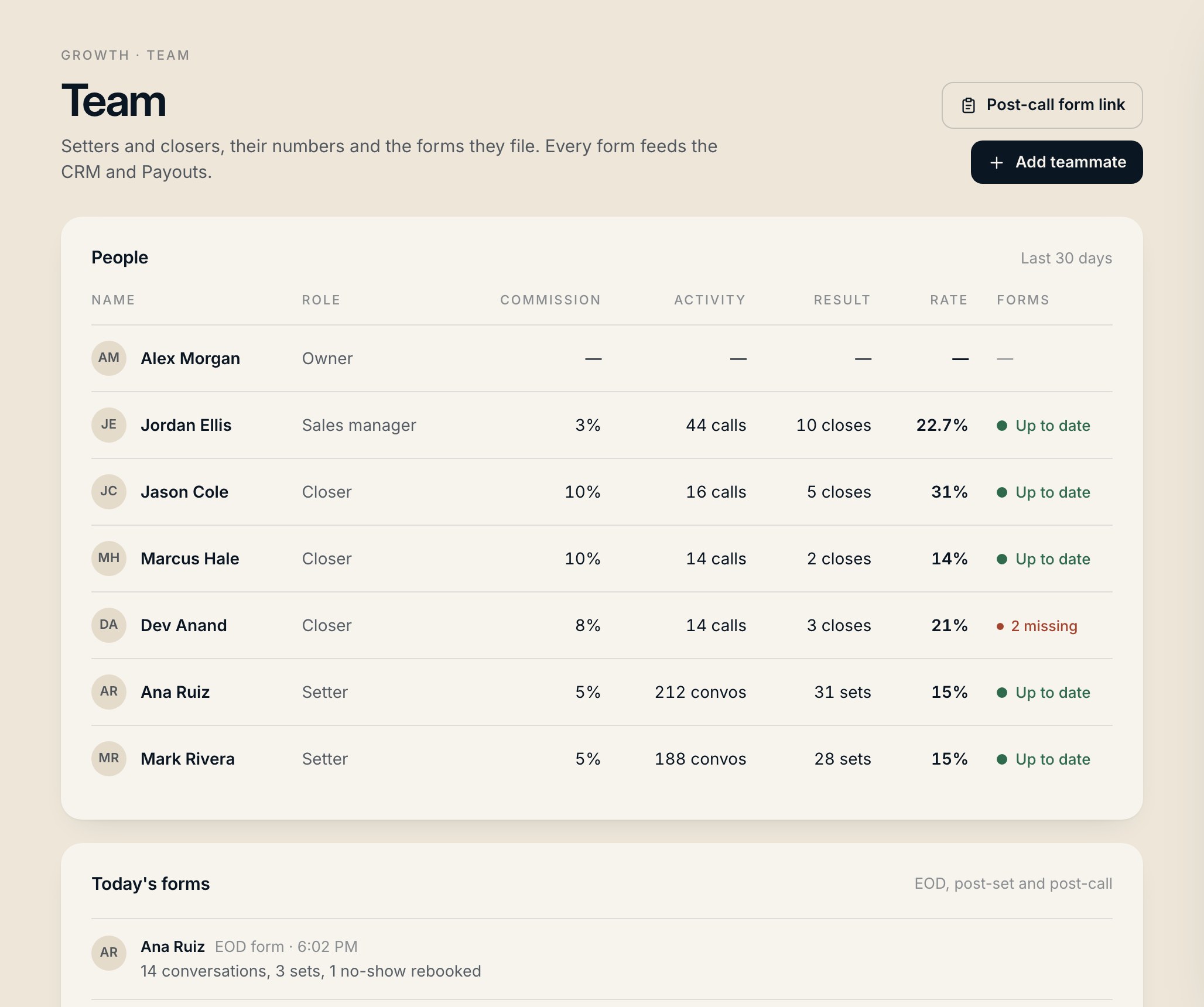
Setter, closer and end-of-day forms that write straight in.

You getKnow who is doing the work without chasing anyone.
  • Set, post-call and EOD forms your team fills from their phone.
  • Closer and setter numbers, submission log, booking links and the roster.
  • Missing forms are flagged before they cost you a close.
Team forms
09Pay the team

Payouts

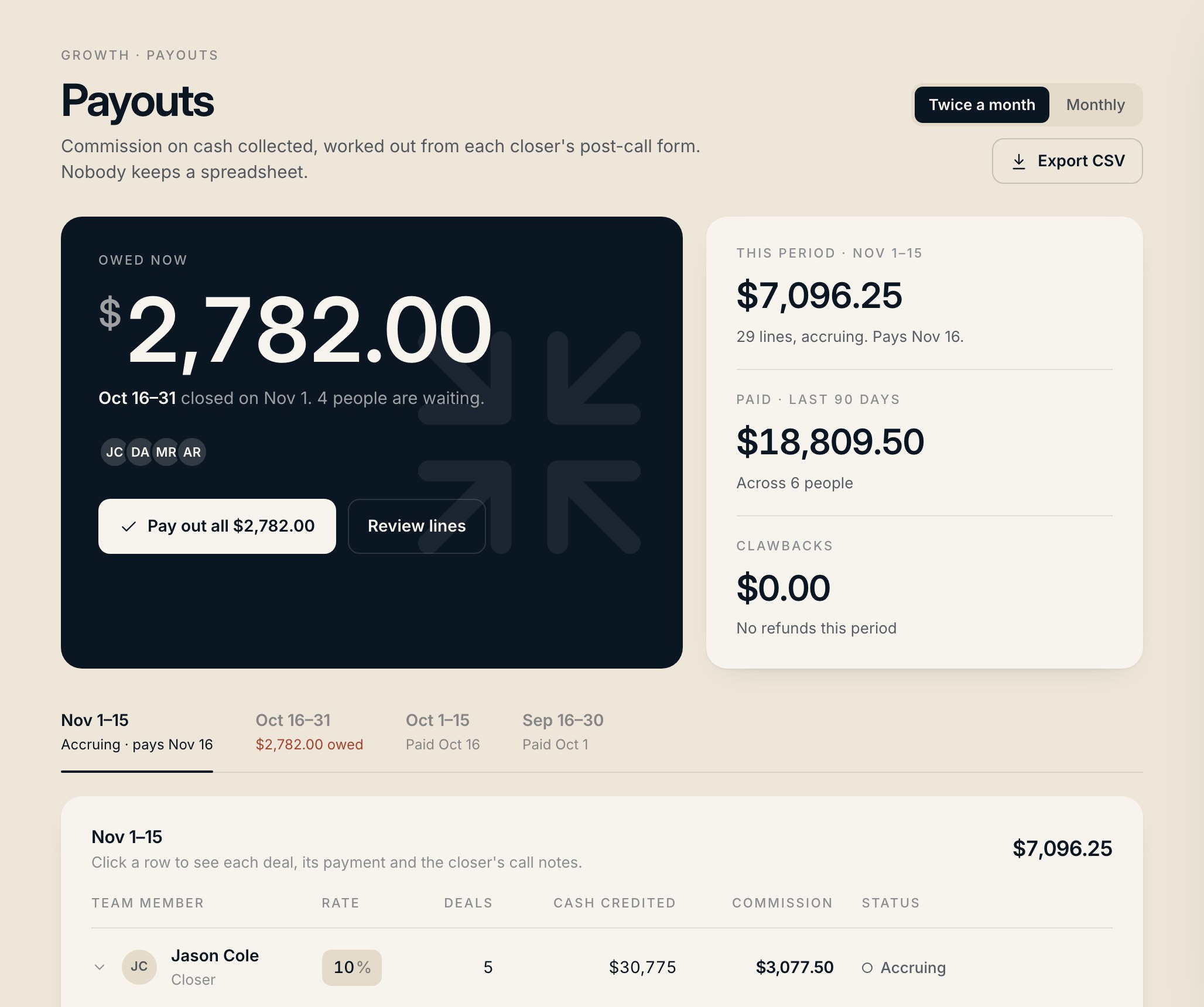
Commission from the call notes, paid in minutes.

You getPayday takes minutes, and nobody argues about what they are owed.
  • Closer, setter and manager override on every payment, each at their own rate.
  • Twice a month or monthly. "Owed now" shows what’s due; pay out in one click.
  • Refunds claw back automatically. Export CSV. Reps see only their own row.
Payouts
10Put AI to work

Chat

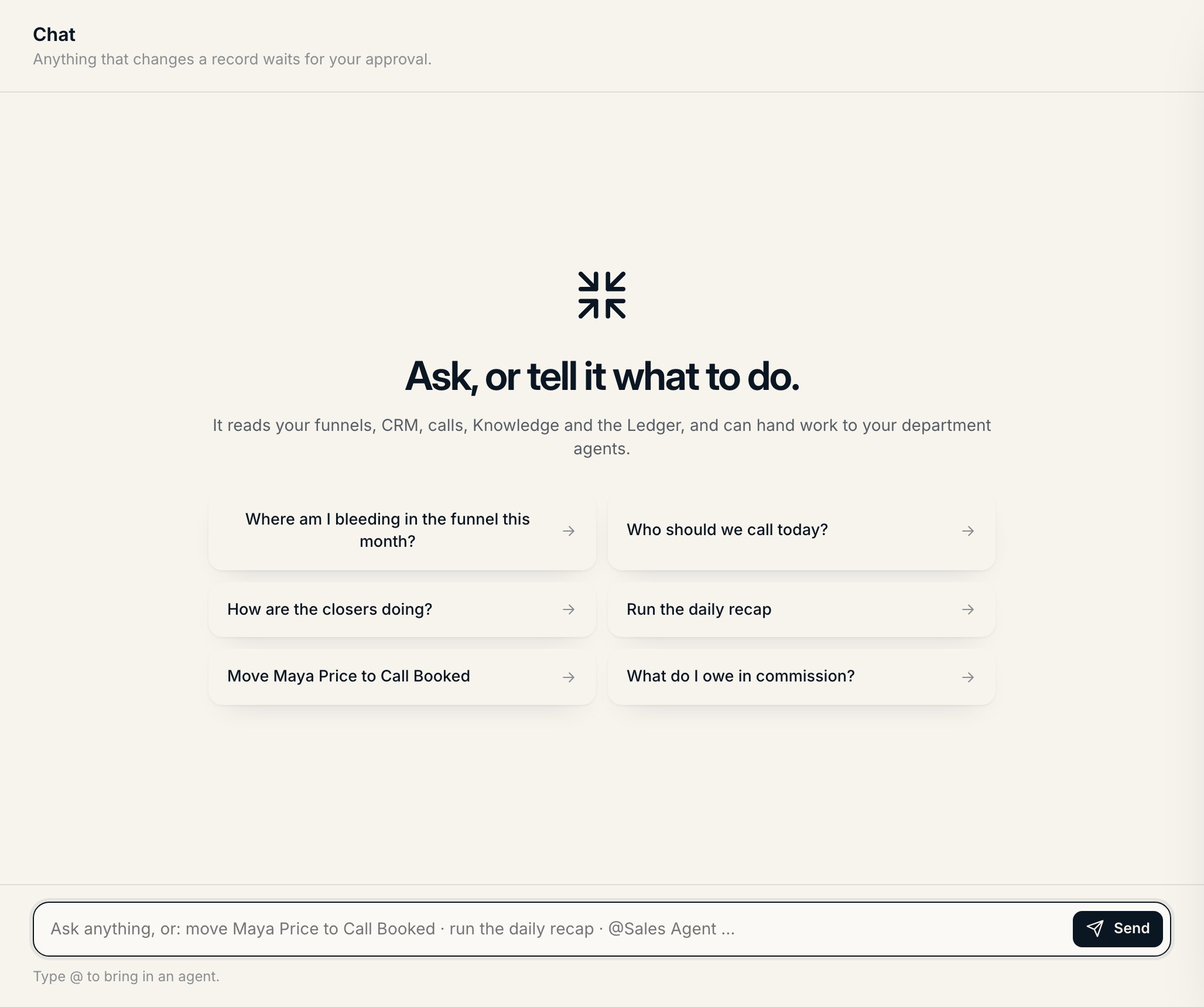
Ask about the business, or tell it what to do.

You getAI you can trust with the business, because it can’t act without your yes.
  • Reads your funnels, CRM, calls, Knowledge and the Ledger. Answers come from your numbers.
  • Give orders: move a lead, create a task, run the daily recap, @mention an agent.
  • Anything that changes a record waits for your approval.
Chat
11Put AI to work

Agents built for you

Built from a map of your team’s day.

You getEach part of the business gets help that knows its job.
  • Built for the work your team repeats, like the seven below: HQ, setting, sales, content, ads, fulfillment and finance.
  • They post in your rooms, hand work to each other and ask before anything risky.
  • Bring your own agent and it works next to the rest.
HQHQ Agent

Daily recap · Weekly owner report

STSetting Agent

Speed-to-lead · DM setter · Setter → closer hand-off · No-show rebooker · Hot lead alert · Applied but didn't book

SASales Agent

Pre-call brief · Post-call filer · Call grader

COContent Agent

Content repurposer

ADAds Agent

Morning ad check

FUFulfillment Agent

Client onboarding · Churn-risk check-ins

FIFinance Agent

Failed payment recovery

+Your own agent

Built your own with Claude? Connect it, give it rooms and permissions.

12Put AI to work

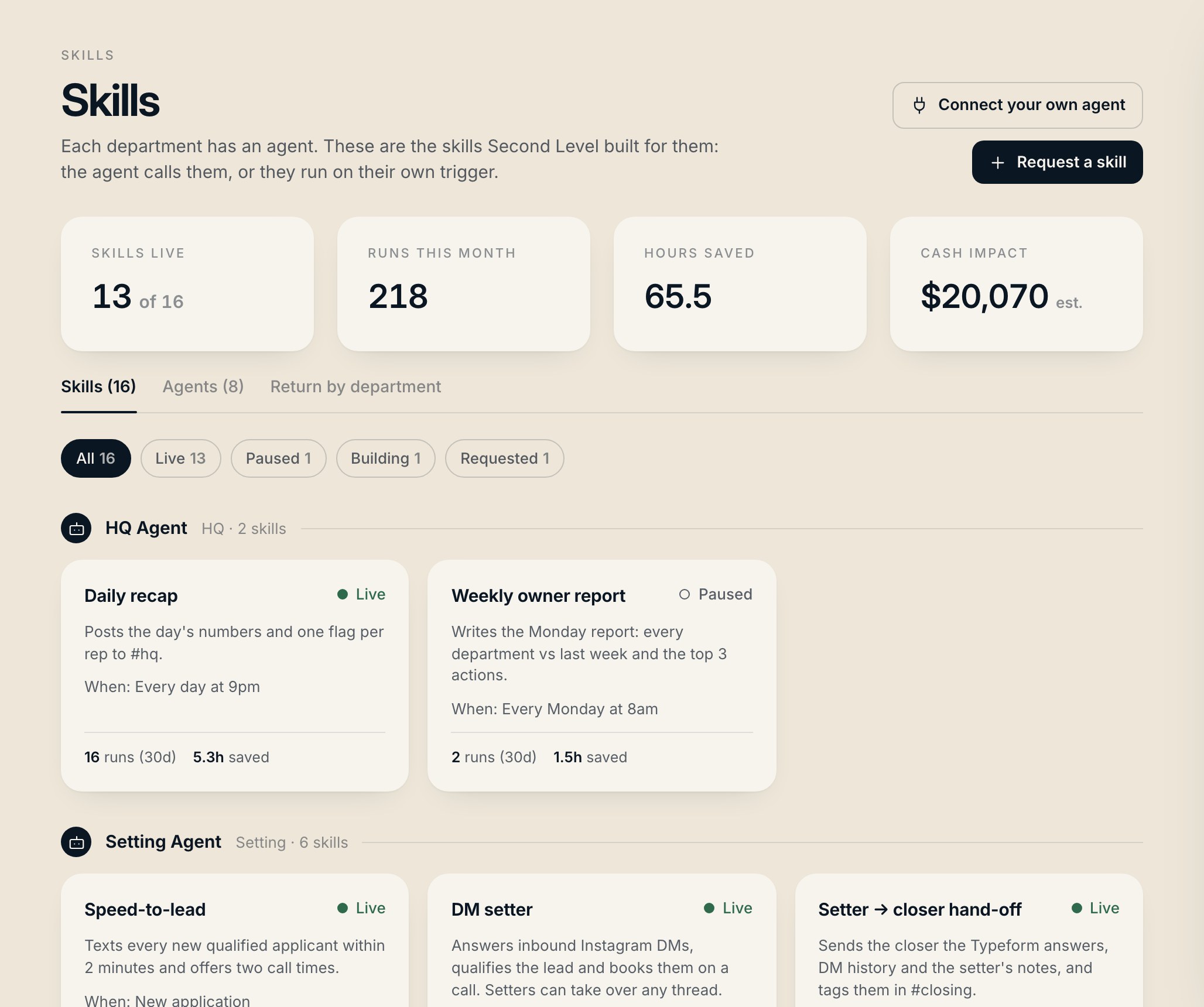
Skills & ROI

Every skill, and what it’s worth.

You getYou see what the AI is doing for you, in hours and dollars.
  • Every skill shows how it works, its activity, settings and team rules.
  • Runs, hours saved and estimated cash impact by skill and department.
  • "Request a skill" and it lands in your client room. We build it.
Skills & ROI
13Run the team

Home

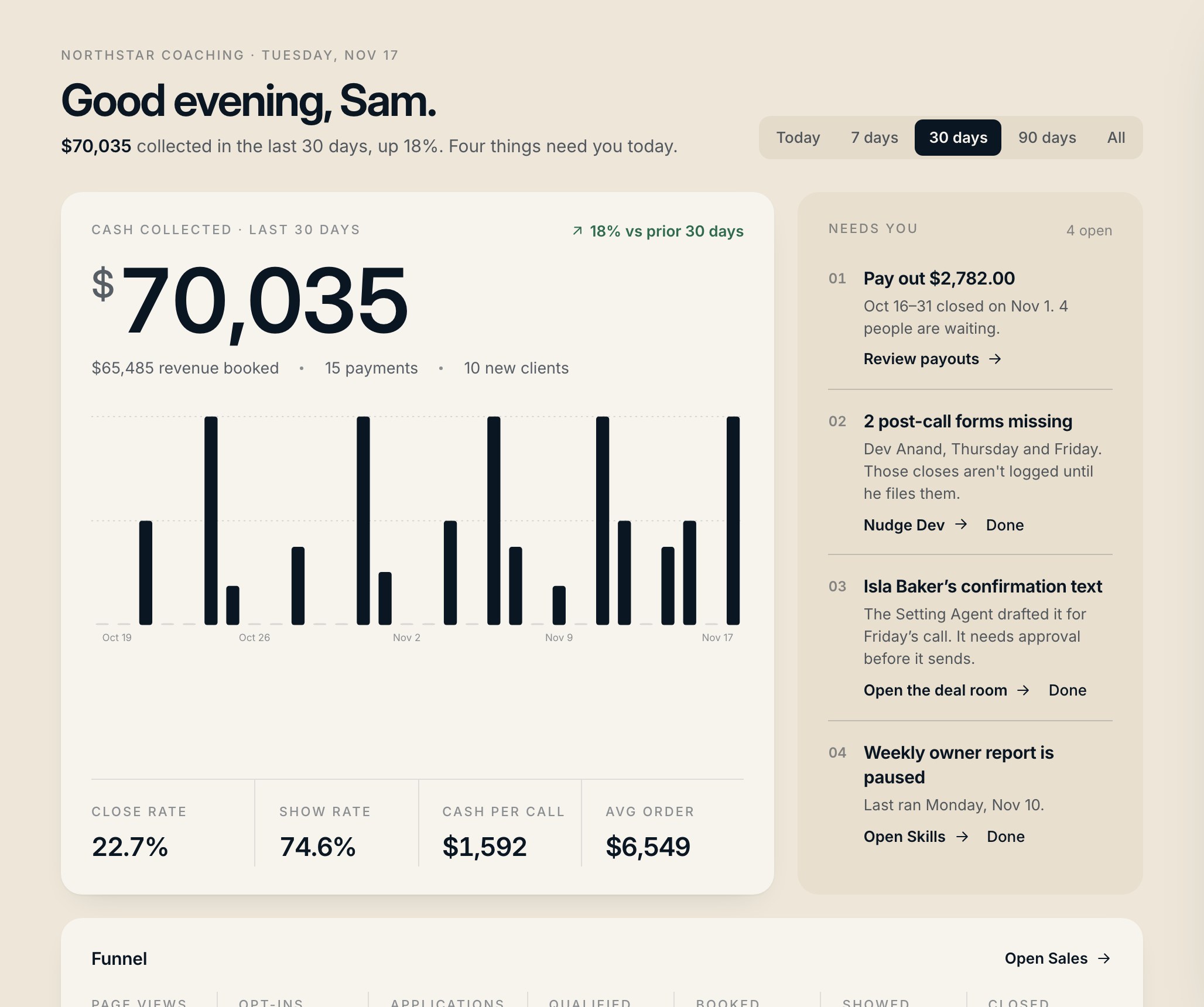
Open it and know what needs you today.

You getOne screen to start the day instead of five tabs.
  • Cash collected against the last period, with revenue, payments and new clients.
  • "Needs you": payouts due, missing forms, approvals waiting.
  • Every funnel stage from page views to closed, and a monthly report.
Home
14Run the team

Rooms

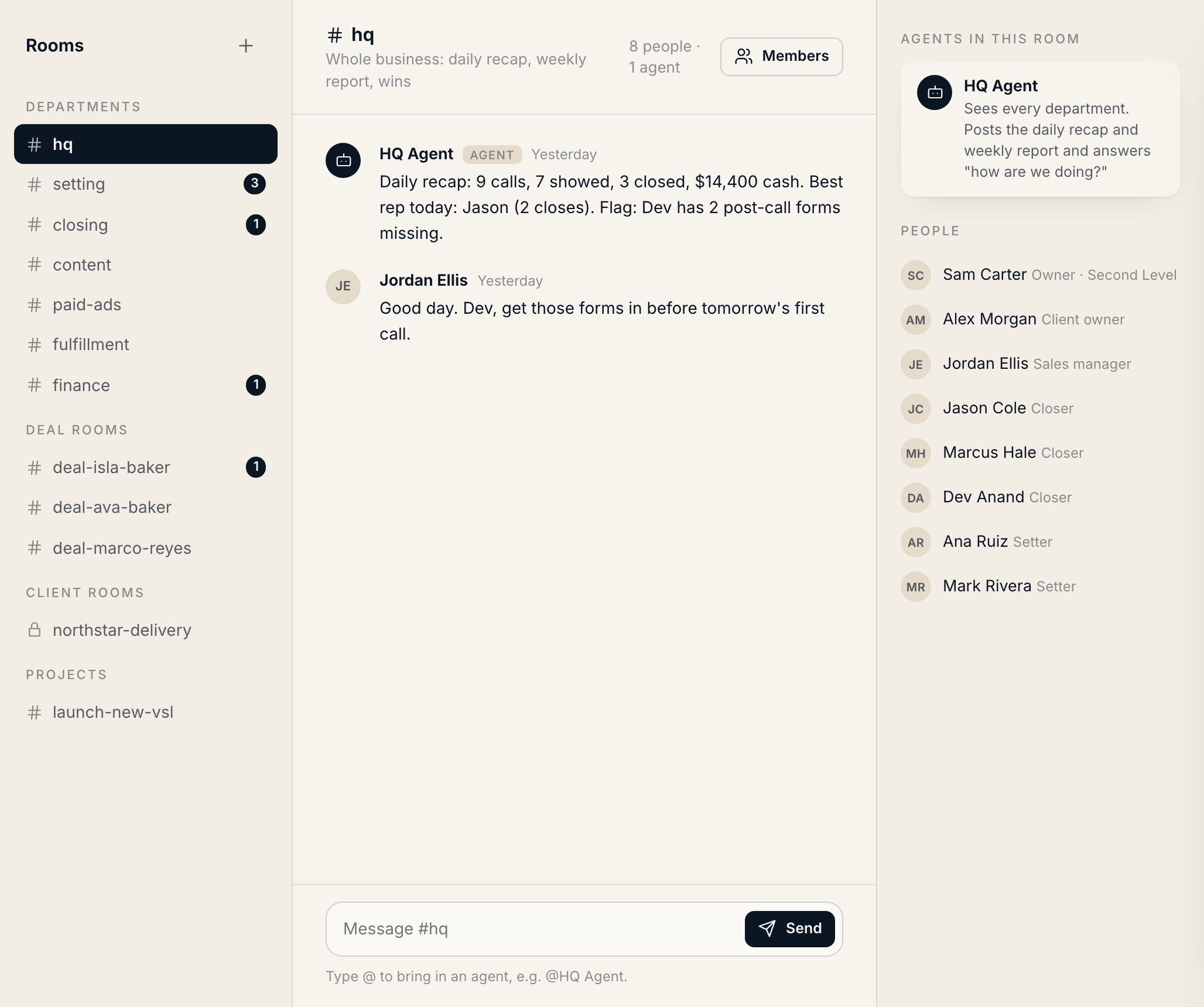
Your team and your agents in the same room.

You getNo more digging through Slack, DMs and email to find what happened on a deal.
  • Department rooms out of the box: #hq, #setting, #closing, #content, #paid-ads, #fulfillment, #finance.
  • Deal, client and project rooms keep each conversation on its record.
  • @mention an agent and it answers, runs a skill or posts an approval.
Rooms
15Run the team

Knowledge

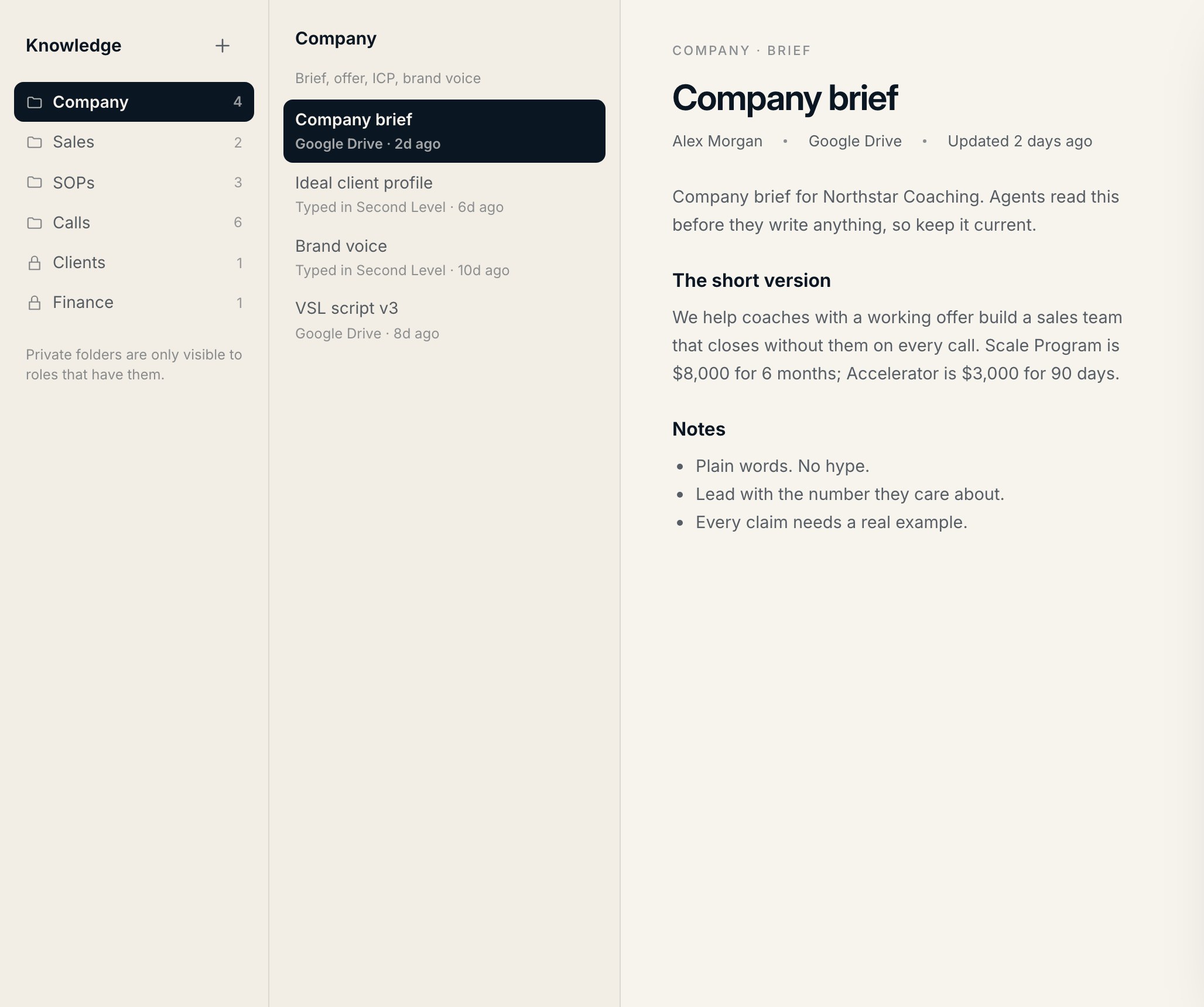
Your playbook, where people and agents can read it.

You getNew hires ramp faster, and the AI answers from your playbook.
  • SOPs, docs and call transcripts, each with a summary.
  • Folders per role, so people see what they should.
  • Review reminders so nothing goes stale. Agents read it before they write anything.
Knowledge
16Stay in control

Ledger

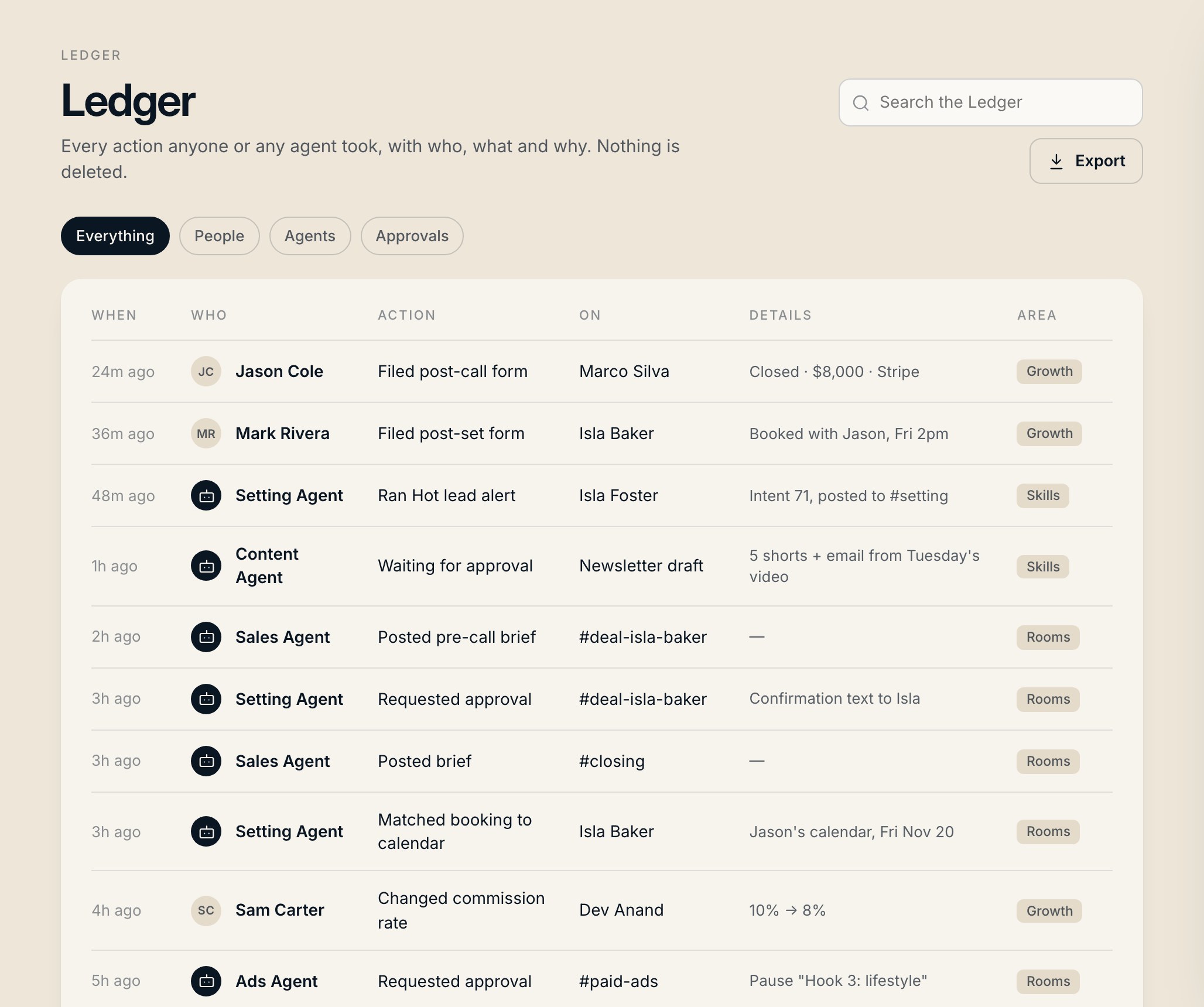
An append-only record of every action.

You getYou always know who did what, including your agents.
  • People, agents and systems in one stream.
  • Open any entry for the full trail of that record.
  • Filter, search and export whenever you need to check something.
Ledger
17Stay in control

Admin & permissions

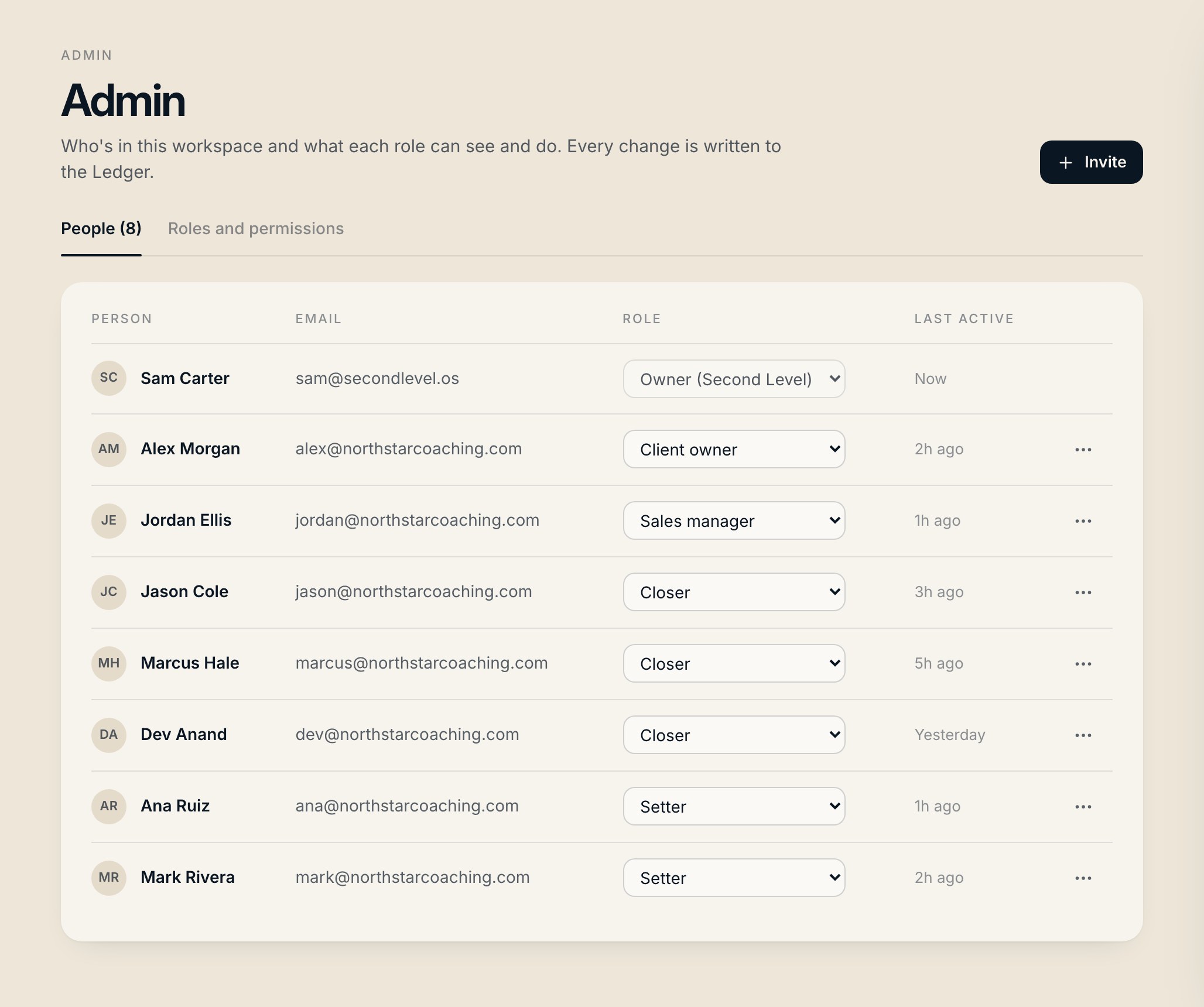
Everyone sees what their role allows.

You getGive the team access without giving away the keys.
  • Roles and permissions, room access, agent access and Knowledge folders per role.
  • People can only manage roles below their own.
  • "View as" shows what anyone on the team sees.
Admin & permissions
18Stay in control

Integrations

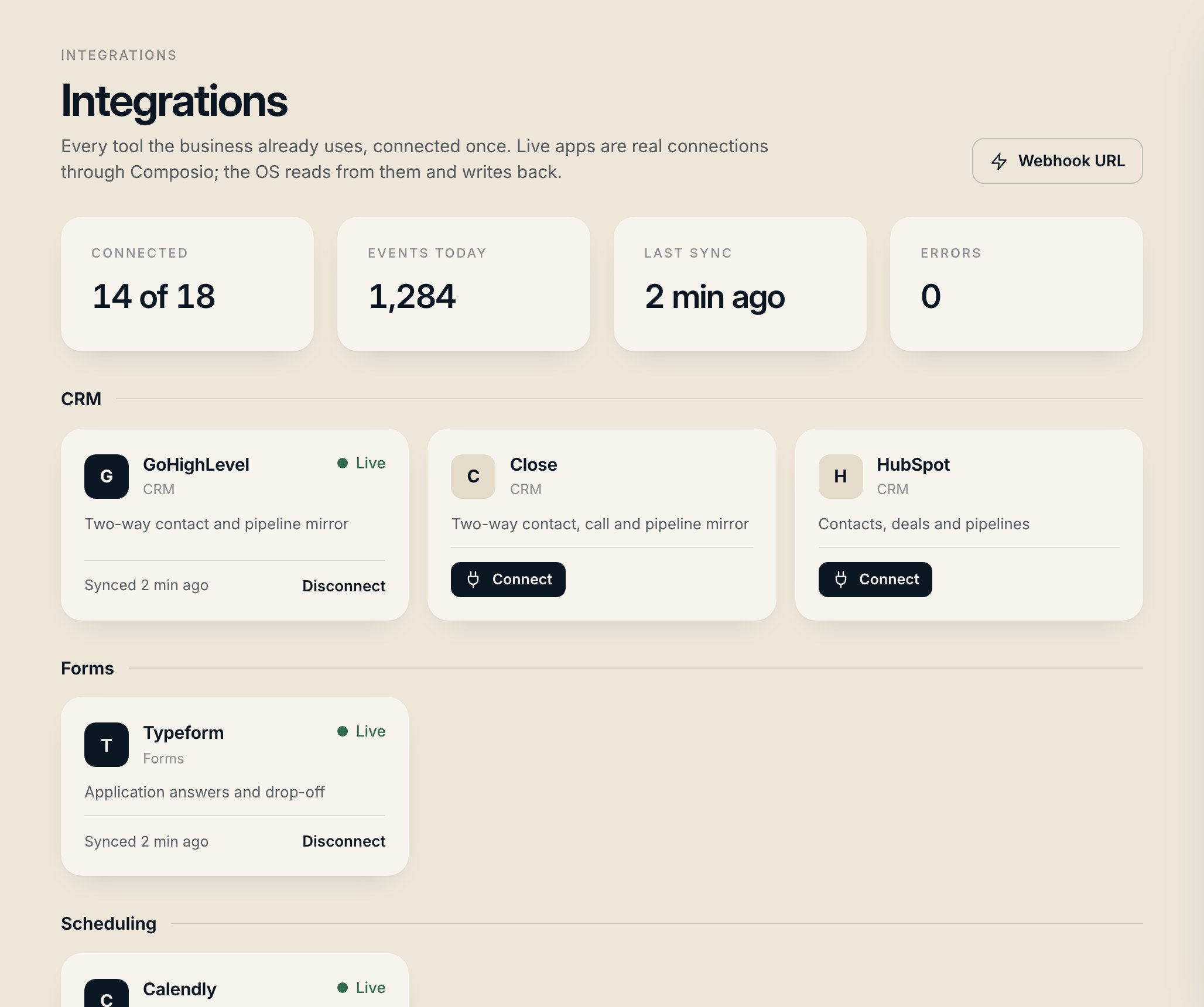
Keep your tools. Finally connect them.

You getNothing gets ripped out, and nothing gets copied by hand.
  • Real sign-in connections to the apps you already pay for, with a Live badge.
  • Two-way sync for your CRM, forms, calendar and payments.
  • Anything custom connects by MCP, REST or webhook.
Integrations

Want this built around your business?

I build it around how you already sell, connect your tools, train the team and keep it running. If you need a part that isn’t on this page, I build that too.